
Answer repeated questions
Give visitors fast paths to essential information while keeping important limits and expectations clear.
Start with an industry-ready conversation flow, then shape the message, actions, and visual style around your website and customers.
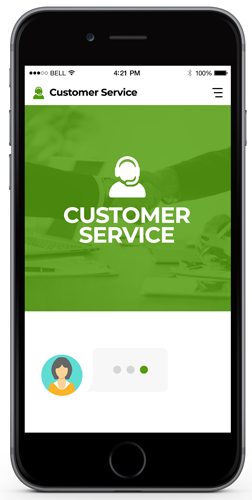
The best flows reduce friction at specific points in a customer journey. They guide people toward an answer, a booking, a useful page, or a human conversation.
Give visitors fast paths to essential information while keeping important limits and expectations clear.
Direct qualified visitors to book, request a quote, browse a service, or contact the right person.
Structure lead questions around the information your team actually needs to respond productively.
Preview selected templates below or explore the complete collection by industry and goal.
Route common questions, suggest relevant resources, and provide a clear support handoff.
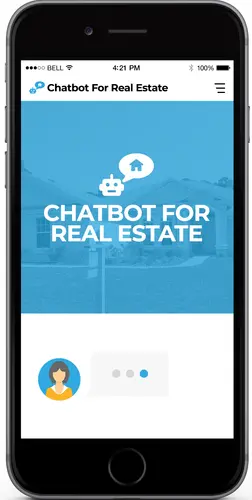
Help property visitors identify what they need and share inquiry details with an agent.

Organize appointment interest and gather practical details before a clinic follows up.

Guide couples through venue questions, preferred dates, guest estimates, and inquiry details.

Learn a prospect's goals, introduce coaching options, and direct them to a consultation.

Introduce an opportunity in a structured flow and let visitors choose whether to learn more.
Choose a useful starting point, adapt it to your real customer journey, then add it to your website.
Decide whether the flow should answer questions, collect a lead, support a booking, or guide a visitor.
Replace generic wording with your services, qualifying questions, links, brand voice, and handoff method.
Add the supplied code, test on mobile and desktop, and check the flow whenever your business information changes.
A strong chatbot does not trap visitors in a loop or pretend to be human. It explains what it can do, collects only necessary information, and gives people a clear route to your team.
Read the practical chatbot guidePricing depends on the chosen bot and the level of customization. We confirm scope before any paid work begins.
For users comfortable adding an embed code and editing their own site.
For a conversation aligned to your offers, questions, brand, and visitor journey.
For an existing chatbot that needs clearer questions, actions, or handoff steps.
No. These chatbot templates are designed to be added to an existing site through a small widget script or an embedded frame, provided your website platform allows custom code.
Yes. The amount of customization depends on the selected template and service scope. Your business details, calls to action, links, and brand styling should be reviewed before launch.
It should not be treated as a complete replacement. A chatbot works best for repeatable questions and routing, with an obvious way to reach a person when the request is sensitive, unusual, or unresolved.
Only information needed for the next step—often a name, preferred contact method, the service of interest, and a short description. Avoid asking for sensitive data unless you have a clear, lawful need and suitable safeguards.
Yes. Templates with a live demo have a Preview button. Other concepts can be discussed through the contact chatbot before customization begins.
Tell us what visitors need help with, where the bot will live, and what a successful conversation should achieve.